Character types at a glance
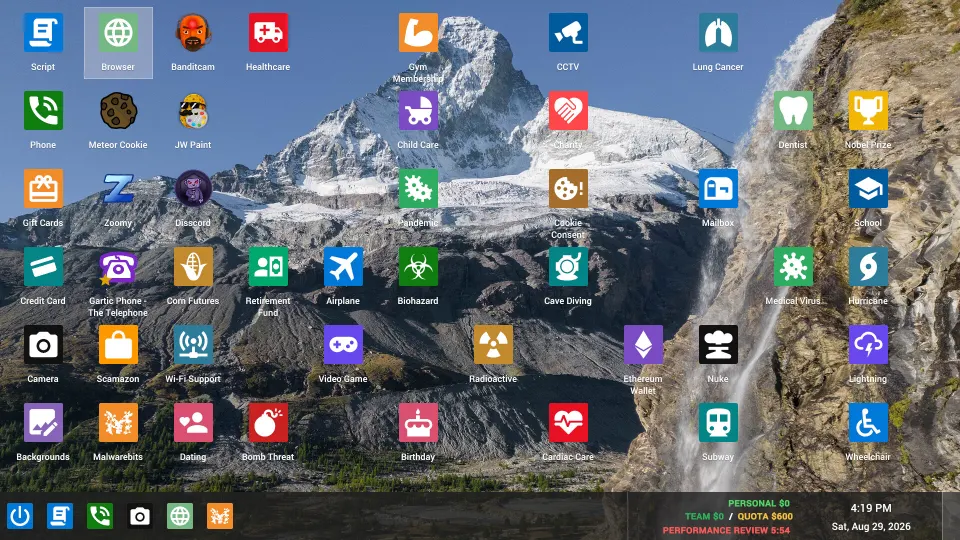
Characters in Scam With Your Friends include your customizable operator, AI callers, office coworkers, and the boss who reviews your work. Knowing the difference helps you find the correct customization menu, understand incoming calls, and recognize which encounters can threaten your shift.
This guide covers the Steam game developed by JakeHub and Metater and published by Jatater Worldwide. It entered Early Access on October 15, 2026, with single-player and online co-op support.
| Character type | Where you encounter them | Their role |
|---|---|---|
| Player operator | Character setup and the office | Your character for working at computers and interacting with coworkers |
| AI caller | Calls at your workstation | A fictional customer whose dialogue responds to your input |
| Office NPC | Desks and office floors | A computer-controlled coworker who occupies the workplace and handles calls |
| Boss | Performance reviews | Evaluates your work as you try to continue through successive days |
| Scambaiter | Certain calls during progression | A reported caller threat associated with computer viruses |
These are gameplay roles. Character-specific attributes, ability trees, and a competitive tier list have not been officially confirmed.
The official Steam page describes real-time AI conversations as a central feature. Understanding a caller's behavior is therefore more useful than expecting a recognizable portrait to follow a fixed script.
Playable characters and office coworkers
Your playable character is the operator you create before working in the call center. An October 13 playtest walkthrough describes character creation and microphone testing before entering the office. Launch-day patch notes also reference player customization.
Keep player customization separate from caller creation. The Character Creator menu mentioned in the October 15 hotfix opens directly into creating a caller. Use it to add someone who can phone the office; it serves a different purpose from customizing your operator.
Office NPCs occupy desks and handle calls. The playtest walkthrough describes players displacing these coworkers to take over an ongoing conversation.
Use these distinctions when deciding what to interact with:
- Your operator: The character you control while moving around the workplace.
- A friend's operator: Another human player participating in the same session.
- An office NPC: A computer-controlled coworker.
- A caller portrait: The person on the other end of a workstation conversation.
October 15 fixes improved NPC movement between floors after promotions, corrected stair navigation, and kept coworkers near occupied floors without crowding desks. These changes address movement; they do not establish coworker classes or special abilities.
AI callers and recognizable names
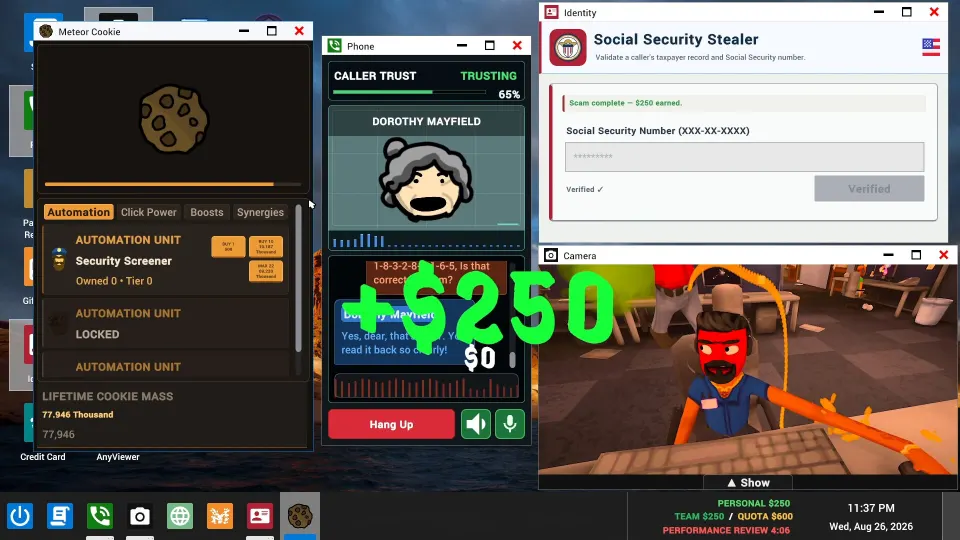
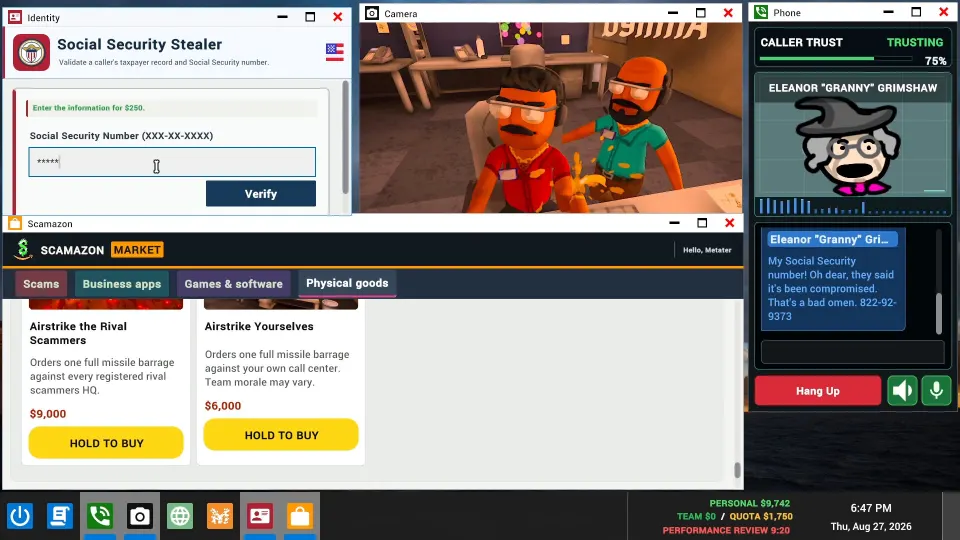
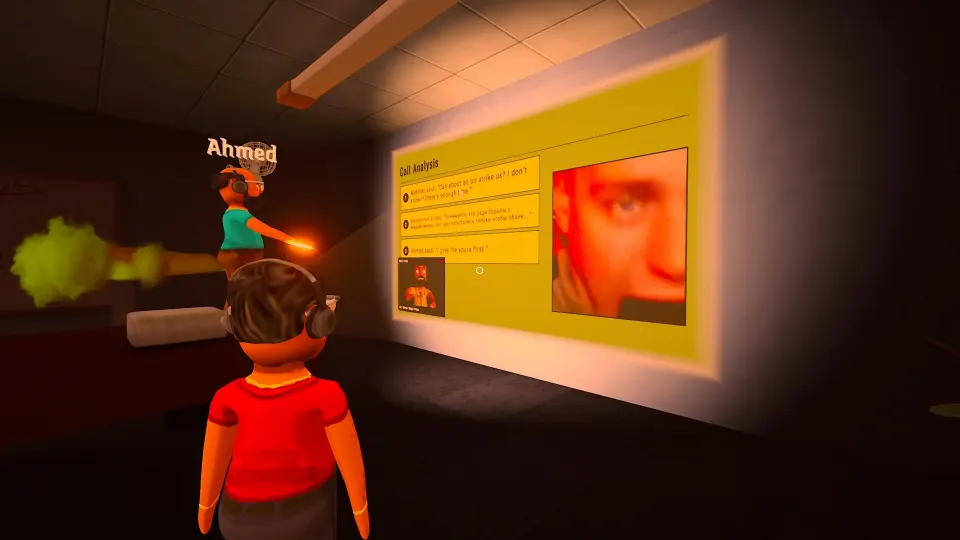
AI callers bring different requests and situations to the phone, and their responses develop during your conversation. The playtest walkthrough describes portraits, corresponding voices, and a trust meter displayed above the caller's portrait.
Recognizable names also appear in gameplay videos. However, an appearance in someone's session does not establish that a character belongs to the default caller selection. Custom callers and Workshop support make that distinction important.
| Recognizable caller | Public appearance | Default-roster status |
|---|---|---|
| SpongeBob | A YouTube gameplay session includes conversations with a SpongeBob caller | Default inclusion has not been officially confirmed |
| Donald Trump | The same session includes a fictional caller portraying Donald Trump | Default inclusion has not been officially confirmed |
| Freddy Fazbear | A Loud Flavor gameplay clip advertises an encounter with Freddy Fazbear | Default inclusion has not been officially confirmed |
The YouTube gameplay session also includes players discussing caller creation. The Freddy Fazbear clip does not explain that caller's origin. Neither establishes which recognizable characters appear in a fresh installation.
How many callers are there?
TposeGaming's October 13 playtest article reported approximately 1,000 characters with portraits and voices. Treat that as a playtest estimate. A complete launch roster and an exact current total have not been officially confirmed.
Does each caller behave the same way every time?
AI generates responses during conversations, so a familiar identity is not a memorized dialogue puzzle. Watch the current conversation and trust display. A recognizable name alone does not establish difficulty, payout, or willingness to cooperate.
Creating and managing custom callers
Custom callers expand the people who can contact the office. The October 15 developer hotfix provides the clearest menu guidance: Character Creator starts a new caller, while Daily Callers lets you edit existing entries.
| Menu or feature | Documented purpose or behavior |
|---|---|
| Character Creator | Opens directly into creating a caller |
| Daily Callers | Provides access to editing existing callers |
| Reset Daily Callers | Refreshes the latest default selection |
| Clear Daily Callers | Can clear the selection without enabling random community callers |
| Steam Workshop callers | Supports installed community callers; a hotfix addressed unnecessary repeat downloads |
For a straightforward setup process:
- Open Character Creator to make a new caller.
- Use the creation options available in your build. Custom voices are supported, and the playtest walkthrough describes using a voice sample.
- Open Daily Callers to revise an existing caller.
- Review your selection before playing, especially after adding community creations.
- Use the reset option to refresh the defaults.
The developer's Steam Community announcements describe fixes for uploaded callers losing their Daily Callers connection after restarting and stalled Workshop uploads blocking other uploads. Check the update history when a custom caller behaves unexpectedly.
Caller identity and voice loading are separate concerns. Launch fixes addressed stalled voices and reduced memory use for custom voices. A voice failing to load does not establish that a caller was removed or requires unlocking.
The same hotfix removed separate Localize Voice buttons. Older videos may show controls that differ from the updated interface.
The boss, scambaiters, and difficult encounters
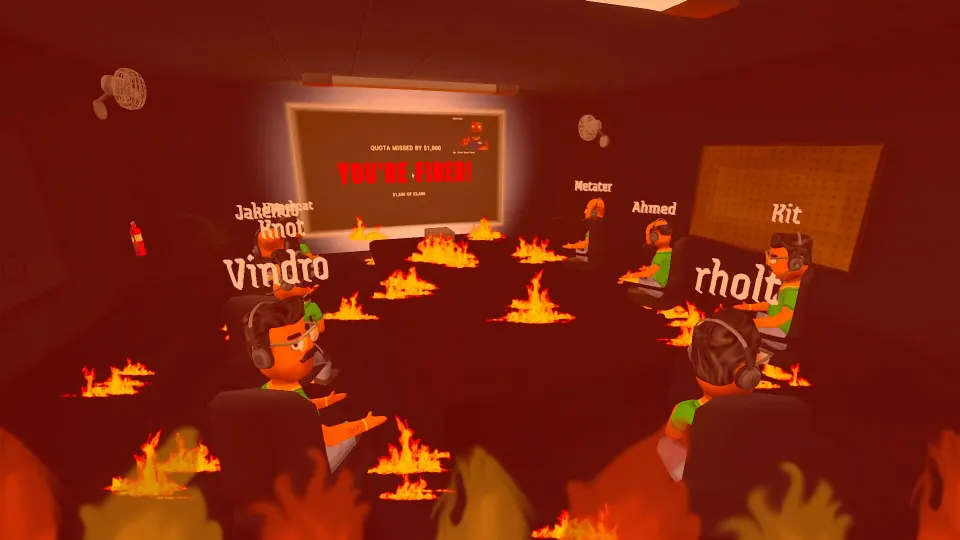
The boss connects your calls to your continued employment. The official description emphasizes daily quotas and harsh performance reviews. The playtest walkthrough describes the boss deciding whether you continue working after a shift.
An official personal name or detailed biography for the boss has not been confirmed. The practical concern is performance evaluation; a relationship system or hidden character affinity has not been officially confirmed.
| Encounter | What it means for the shift | Useful response |
|---|---|---|
| A suspicious ordinary caller | The conversation may be losing trust | Pay attention to the trust display and current dialogue |
| A scambaiter | Gameplay reports associate these callers with virus attacks | Treat the encounter as a potential workstation threat |
| A boss review | Your performance is being evaluated | Keep the daily objective in mind throughout the shift |
| An AI failure status | A technical interruption is affecting the conversation | Read the status message instead of interpreting it as character dialogue |
Scambaiters appear in the playtest walkthrough as a complication introduced during progression. A gameplay guide describes them wasting time and attacking computers. However, sarcasm or awkward questions are not officially confirmed identification tests. Avoid assuming every uncooperative caller is a scambaiter.
The October 15 hotfix changed AI failures and temporary usage restrictions to display clear status messages instead of fabricated caller dialogue. This distinguishes in-game reactions from technical interruptions.
That update also disabled viruses and their popups on laptops. This device-specific change does not establish that scambaiter threats were removed from every workstation.
FAQ
Is there a complete list of scam with your friends characters?
A complete official roster has not been confirmed. Documented groups include player operators, AI callers, office NPCs, the boss, and scambaiters. Custom creation and Workshop callers mean available selections can differ between players.
Are SpongeBob and Freddy Fazbear playable characters?
Their reported appearances concern callers. SpongeBob appears in a YouTube gameplay session, while Freddy Fazbear is named in a gameplay clip. Neither appearance confirms that you can select them as your operator or find them in the default caller pool.
Can I create a caller using my own voice?
Custom caller voices are supported, and the October 13 playtest walkthrough describes supplying a voice sample. October 15 patch notes confirm continued work on custom voice loading. Exact recording requirements and a complete list of settings have not been officially confirmed.
Where do I edit a caller I already created?
Use Daily Callers. The October 15 hotfix directs existing-caller editing there and makes Character Creator open a new caller immediately. Older walkthroughs may show a different workflow.
Which character is best for beginners?
No playable-character advantage or official ranking has been confirmed. Learn the differences between operators, office coworkers, and callers. During calls, follow the dialogue and trust display instead of expecting a familiar portrait to guarantee an easy result.